External Connections Webservice
Scope
The iLink API provides a dedicated webservice to manage and track EDI connection requests autonomously, as an alternative to the external connections portal. This webservice offers the same functionality and behavior as the connections portal, and can be used together with it.
This integration is only available to EDI operators integrated with ilink. To gain access, please request credentials from apoio@ilink.pt or by phone at 707 451 451. The access provided includes a platform key, which identifies the system/platform accessing the webservice.
Technical notes
- The webservice follows the REST architecture
- The HTTP status codes returned comply with RFC 7231
- All data sent (including XML attachments) must be encoded in UTF-8. Formats such as ANSI, UTF-8 BOM and ISO 8859-1 should be avoided to ensure compatibility with all receiving systems
- Responses (payloads) are returned in JSON format
- ilink's servers operate exclusively over HTTPS, with TLS version 1.2 (in case of communication issues, see possible solutions for Java and C#)
- The specification and Swagger demo client are available here
Swagger Documentation
ilink uses an OpenAPI 3 specification in a Swagger client, available here. In this web client, you can make test calls to our API, analyze the responses obtained and check the data to send for each endpoint/method.
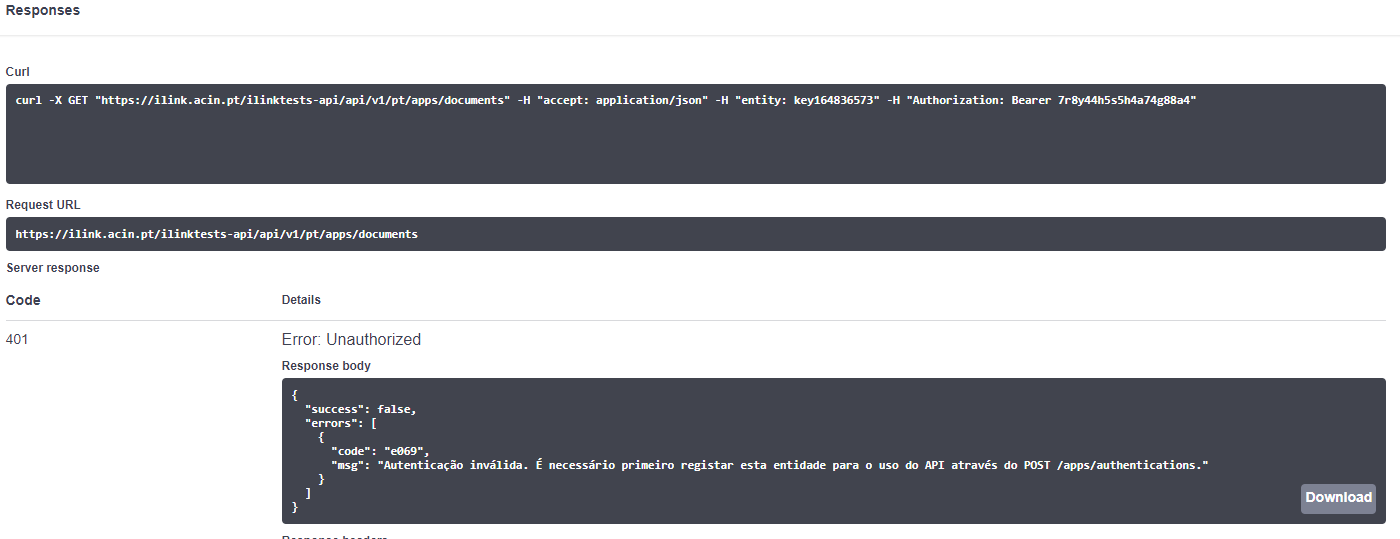
The Swagger client provided above should support your development process. It is also possible to check how API calls are built using cURL (see the example below):
Authorization
The platform token must be included in every request to the API in the header below:
- Authorization: Bearer {ACCESS_TOKEN}
In the Swagger client, authorization is performed by entering the access token after clicking the Authorize button.
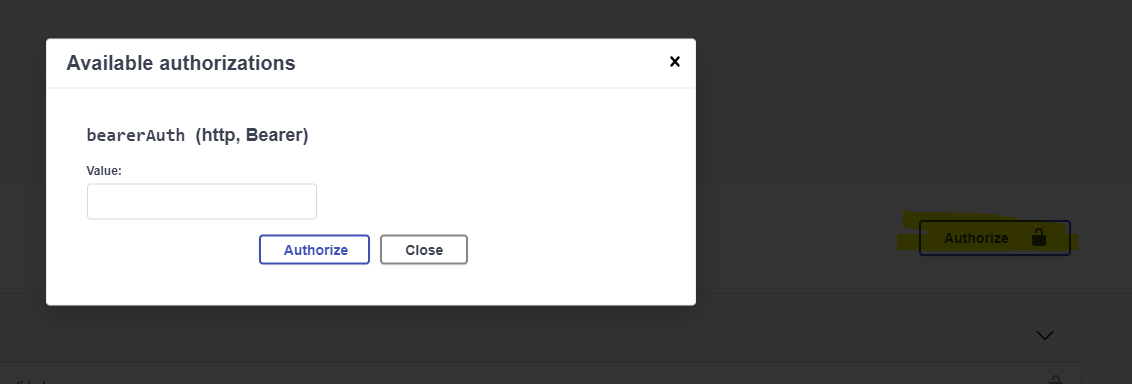
After this step, note that all subsequent requests to the API include the Authorization header:

If the authorization token is incorrect, the following response will be returned:
HTTP status: 401 Unauthorized

{
  "success": false,
  "errors": [
    {
      "code": "e069",
      "msg": "Invalid authentication"
    }
  ]
}